Posted at :
Apr/24/2007
Maybe documentating is one of the boring task for the developer. I'm belonging to them  . But it could become an important task we have to do if we build an enterprise application which distributed to the customers. Many third party tool has available to accomplished the task. We can use HTML Help Workshop editor for creating help file based on chm file.
It's easy to use the tools. Before we getting into more details, i'll explain some component we have to create the chm online help file. The components are :
- Help Project file (.hhp). Project file to include all of the component
- Help Content (.hhc). This component contains the table of contents
- Help Index (.hhk). Index file for searching keyword typed by user.
Let's see the following the steps :
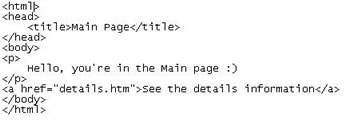
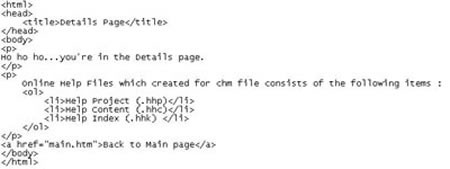
1. Create simple htm file to put into the content online help. Say it main.htm and details.htm
2. Open the HTML Help Workshop Editor from the Start Menu. Create New Project. Specified the project file name if you see the dialog to input the file name.
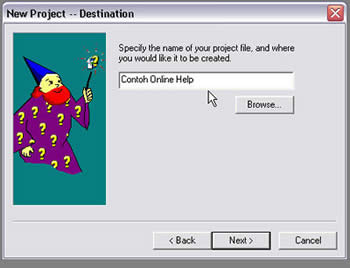
3. Check the option for HTML files to include the existing html files :
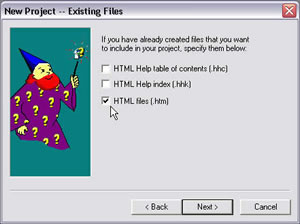
4. Add htm files we've been created on the previous step :

5. On the content tab, choose the option to create new content :
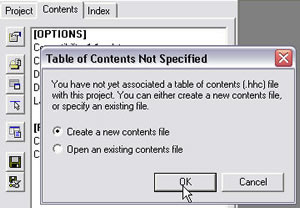
6. Specifiy the title for the toc, then select a html file to asociated with :

7. The final contents may looks like below (to create header for the toc just add it by clicking "Insert a Heading" on the left side toolbar) :
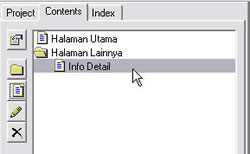
8. Create new Index for creating search keywords type by the user (associated the keyword with the appropriate html file) :
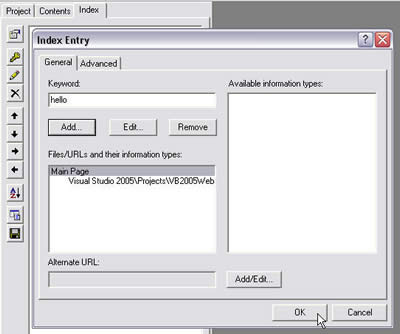
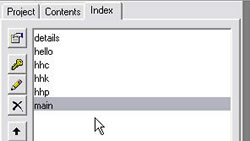
9. The final result of the index file may looks like below :
10. You would see the content of the project tab :

11. Compile the project from the File menu :
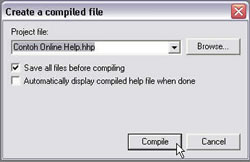
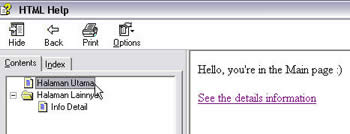
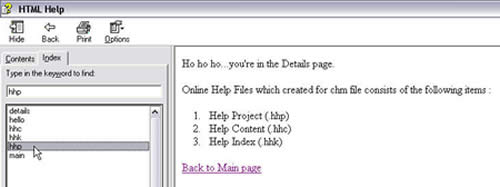
12. Find the location of the chm file. Open it, you would see the content of your chm file like this :